What Is Lopay POS? A Simple Point of Sale System for Small Businesses
Simplify Payments with Lopay Point of Sale
Running a business means handling lots of small tasks: adding up totals, tracking products, and keeping an eye on sales.
A POS (Point of Sale) system makes this easier by managing everything in one place.
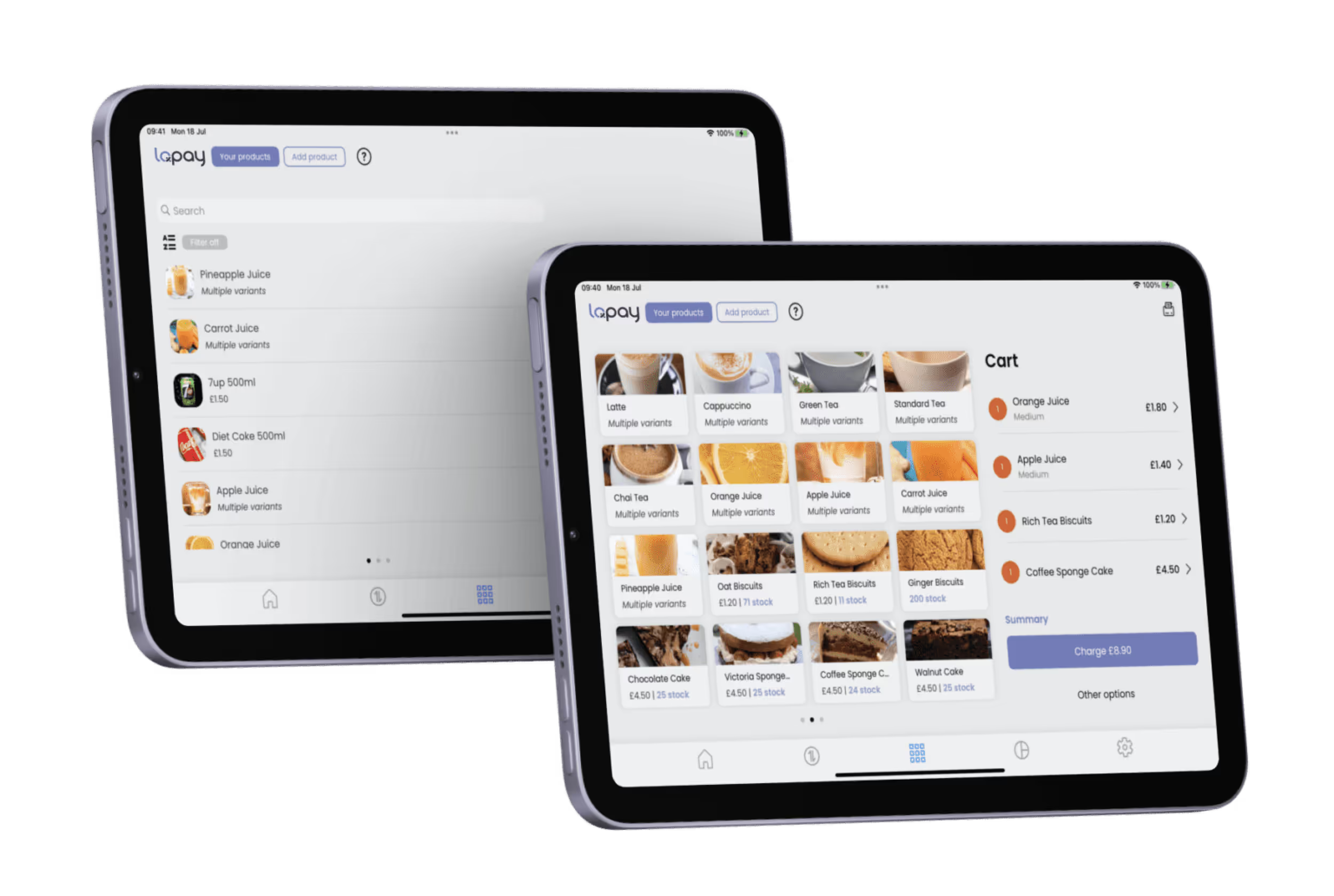
With Lopay Point of Sale (POS), you can add products, process payments, and view sales reports directly from the Lopay app. No calculators, no manual totals — just a simple checkout experience for you and your customers.
What Is a POS System?
A POS (Point of Sale) system is the software businesses use to record sales and accept payments.
Instead of manually calculating totals or tracking stock on paper, a POS system lets you manage products and payments digitally.
With Lopay POS, you can:
- Keep all your products and services organised in one place
- Quickly add items to a customer’s bill
- Accept cash, card, or mixed payments
- View detailed sales and activity reports
Everything is managed in a few taps on your device.
How Lopay POS Helps Your Business
Lopay POS is designed to make checkout quick and simple.
Track Your Products and Stock
Add the products or services you sell and keep track of what’s available.
Fast and Easy Checkout
Combine multiple products in a single transaction to calculate totals instantly.
Accept Different Payment Types
Take payments by:
- Card or contactless
- Cash
- A combination of both
See Sales Reports
View your sales activity and breakdowns whenever you need them, helping you understand how your business is performing.
How Much Does Lopay POS Cost?
Lopay POS works with the same competitive Lopay payout rates and is included for free. No extra fees.
What Businesses Can Use POS?
POS systems are useful for many types of businesses, including:
If you sell products or services in person, a POS system can help make payments and tracking much easier.
How to Get Started with Lopay POS
Getting started only takes a few minutes.
- Download the Lopay app
- Add your products or services
- Start taking payments using the POS checkout
If you’re not using Lopay yet, sign up today and explore how a simple POS system can help streamline your payments and sales.